.svg)
The service leader has the debrief memorized. The tech has checked it off. The part was in stock. The customer was ready. And the SLA was still missed and there is no one person, one decision and one moment to point the finger at.
It's far more likely that such a pattern isn't the product of chance. In field service, a large majority of SLA breaches are designed into the system from day one. This is where SLA compliance automation can play a substantial role.
For organizations that deliver services connected to contractual obligations, service provider SLA compliance doesn't have to be tribal knowledge, spreadsheets, or a matter of reconciliation at the end of the day. Customers want proof, like the second hand moved; what was different; who responded, and did they meet the threshold. Going real-time delivers this proof, as soon as the hand moves.
No-code SLA automation has been the biggest challenge of them all to execute. These integrations can take a matter of months of engineering hours, pulling technical talent away from the software they're building and customers they serve.
Ops and service teams now have the ability to connect to systems, implement escalation rules, and even automate updates, all without the extended lead times of a software dev cycle - allowing them to quietly close the data gaps eroding SLA performance.
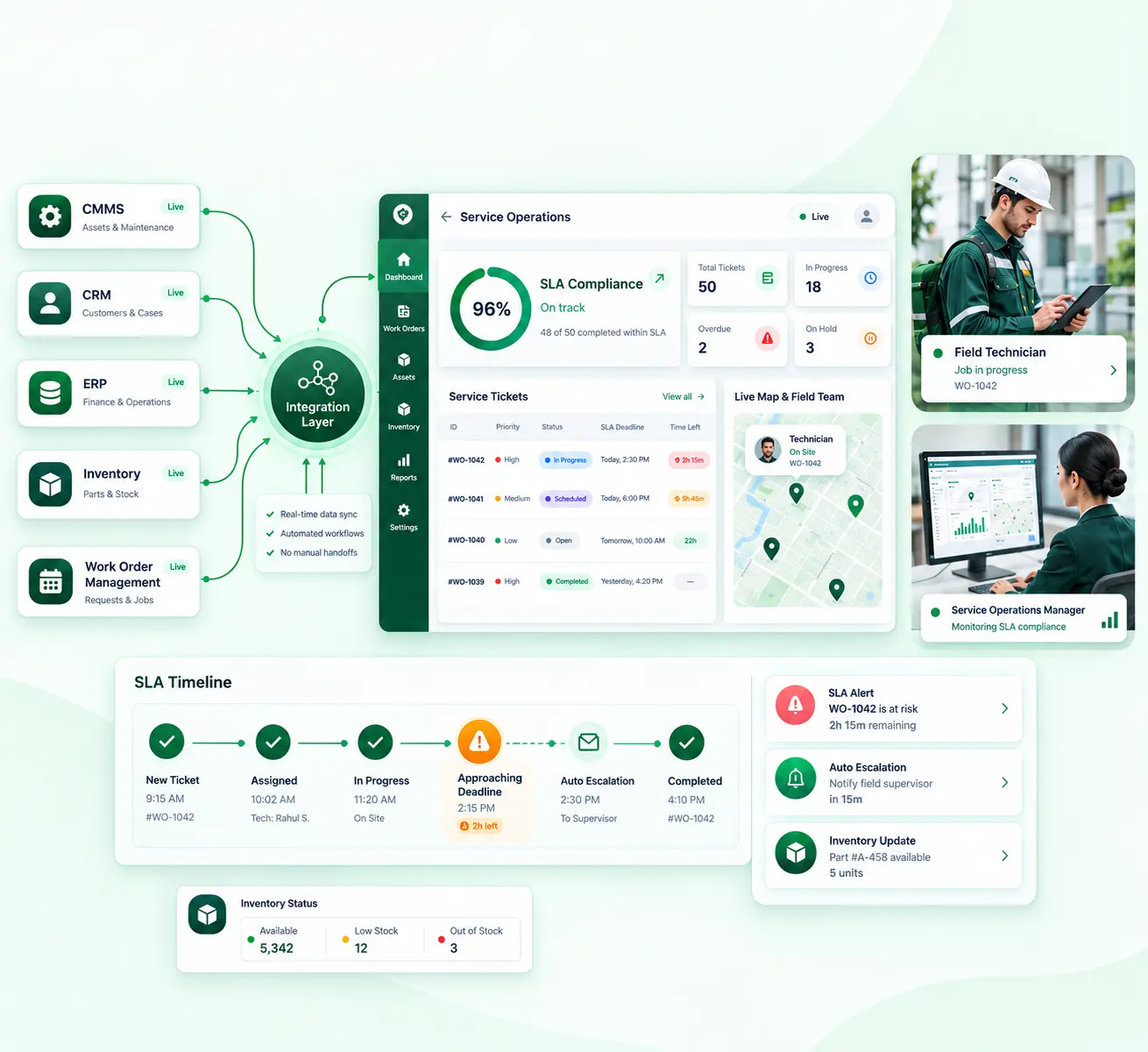
When coupled with top-to-bottom SLA monitoring and reporting, this offers executives the kinds of insight they have never had: a real-time, defendable view of each and every job in the context of the deadline. While costly, disconnected solutions are not as effective, the connected field-service management applications that align work orders, inventory, and service data in real-time are closer to real-time SLA adherence and operational consistency.
With automated SLA tracking, even the first indication of non-compliance can be identified before it's a problem by using on-demand reporting as opposed to old-fashioned periodic reporting to offer compliance dashboards in real time.
The Real Cost of SLA Breaches in Field & Service Operations
Most of the time lost to an SLA breach never happens on-site. It happens in the space between systems, long before a technician picks up a tool. That gap almost never shows up cleanly on a financial report. It’s often exactly where margin is bleeding out the fastest, just not where anyone’s looking for it.
There’s a quieter cost sitting underneath all of that too. SLA breach tracking tends to fall apart in disconnected environments, which means a lot of organizations end up paying for a breach twice: once in the actual service failure, and again when they can’t document it well enough to push back on the penalty or protect the relationship with the client.
Why Disconnected CMMS, CRM, and ERP Systems Create Breaches
SLA failures don't usually start with the first "big" mistake. Facing customer is disconnected from the back-office when there's no effective CRM integration.
That separation results in two related problems:
1) Information arrives late: Changing a customer's priority status or gaining access to an updated time commitment for service can happen only after scheduling decisions are made.
2) Information departs the field context-free: The technician who sees that a job is urgent does not see why or which contractual commitment is at stake. Integrated CRM and field-service information allows the history of the customer, current contract status, entitlements and SLA terms to be available at a glance with the work order, rather than waiting for a human to sort it out.
In case of absence of a direct API integration between the CMMS, CRM, and ERP, there can be some important inputs missing even before a technician is assigned such as:
- Current asset history. The technician might not be aware of the latest service call, recurring fault, warranty, or previous repair, which may lead to an incomplete first visit.
- Live parts availability. A part may appear out of stock on the ERP or allocated elsewhere, or all together unavailable from your local location but the dispatch screen still expects it to be supplied. Live inventory synchronization makes sure the dispatchers knows what he can and can't schedule before he does it.
- Customer-specific SLA thresholds. A typical clock can be used, despite the contract, asset type, or service tier requiring a different clock.
- Priority changes after dispatch. When the customer escalates a work order or the CRM changes, it will never reach the schedule of the technician if this change doesn't go via automated status and priority sync.
They are not small paperwork problems. These create the nature of the work: who is scheduled to work on which technician, whether a part is really in stock, where the visit is being scheduled, and whether the team is on track for the right target.
Integration Patterns That Protect SLAs in Real Time
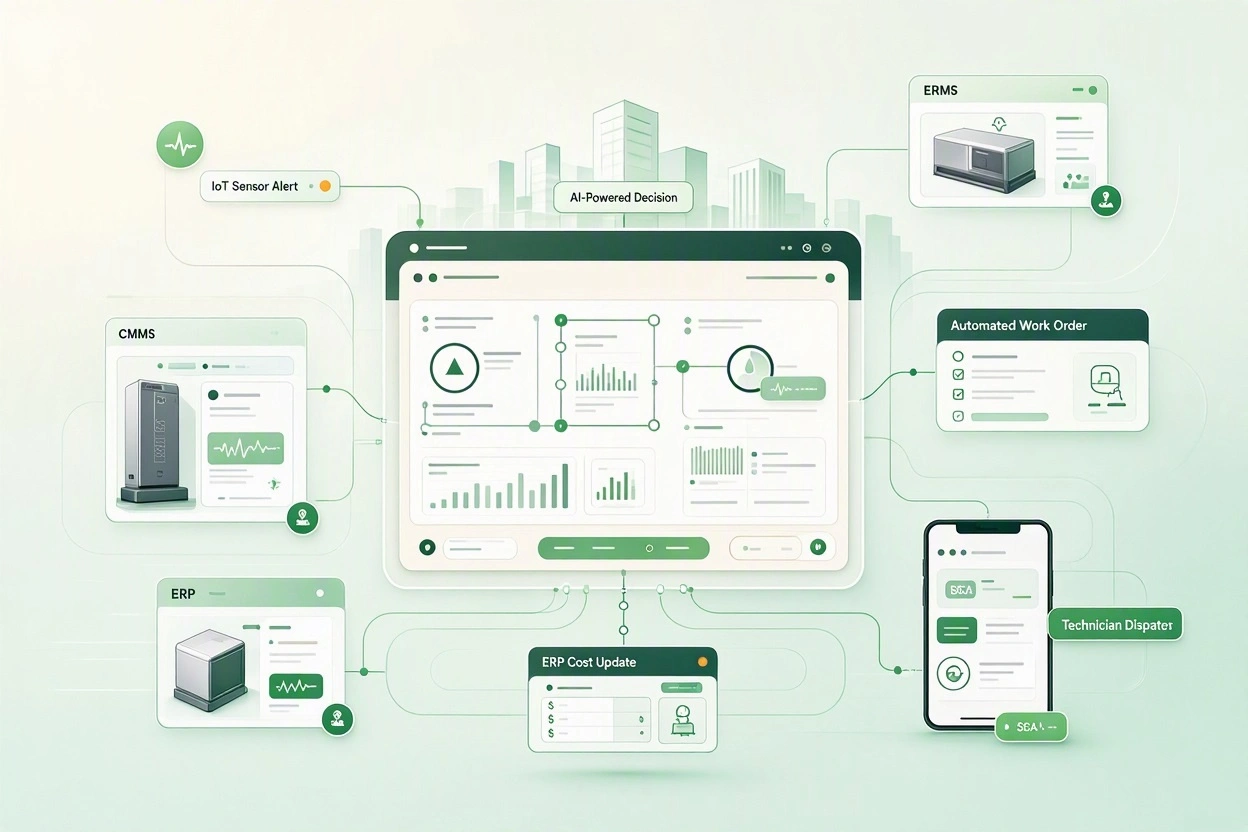
To stop an SLA breach from happening, it's not enough to link systems together just once. You need to architect how information will flow, ensuring each significant event; new ticket, updated priority, missing part, technician assignment, customer escalation; will instantly alter the state of your operating environment.
A few common, repeatable integration architectures help the best organizations make service data cohesive and actionable.
Pattern 1: Initiate the SLA timer at a known event
Rather than having an individual set a stopwatch, the timing should start when a set of business logic triggers an event. Different SLAs can have different starting points within a service contract. If the trigger is automated, the proper clock can start on cue, and progress can be tracked against the appropriate commitment, instead of a blanket deadline.
Pattern 2: Sync status changes across systems
The second pattern is two-way status sync. You shouldn't be working on a work order in CRM, have a work order in the CMMS, and then find it again in the ERP. It should always be reflected wherever one of the systems gets the status right.
Pattern 3: Trigger alerts before the deadline
In real-time SLA monitoring you should compare at each time interval remaining time, job priority, and the actual job status to SLA allocated. When the job hits the mark (~75% or ~90%) notify those who still have a window of opportunity to modify the outcome. Notify those responsible with an SLA alert via email, SMS, mobile push, team-chat message, anything that can get there in time.
Pattern 4: Make part/parts and inventory part of the SLA calculation
Another pattern that connects execution back to the supply chain. Parts availability is a top three reason for unnecessary delay. When assigning a job or rerouting a job, check stock, reservations, lead-times and other sources for accomplishing the job. Where a stock item cannot be found, rule in the SLA risk at the earliest possible moment, identify the alternative part source, or request a purchase order to procurement. Inventories then become a real-time decision input to dispatches and SLA management.
Pattern 5: Use one integration layer
Point-to-point integrations lead to integration sprawl; you should build an integration layer in a governed data integration platform which connects your CRM, CMMS, ERP, inventory management, scheduling and communication tools, then use that layer to standardize data mappings, error handling, retries, audit logs, and monitoring. This is what minimizes the number of points of failure to go unnoticed with an update.
All of these patterns can be brought together to turn SLA management from reporting to monitoring. With this combined approach the system will turn on the right clock, update the state of the job no matter where it is, receive the new risk data, and push a relevant alert before the deadline.
That is the tangible value of having the ability to see that you have missed your SLA before you do. While real-time integration can't solve every operational issue, it does make sure the problem is visible to the business early enough to be fixed.
Implementation Considerations for Service Organizations
The advantage of integration is creating a healthy service delivery chain in which customer context, asset history, parts stock, technician availability and customer commitments are always aligned at every point of the front-to-back cycle. Achieving that calls for intentionality on the part of people, processes, data and technology.
1. Begin with the service journey, not with the systems
Don't start with an integration diagram. Instead, teams should start with actual jobs and determine how each one flows through the business. It reveals where SLA risk can occur, which helps to identify the very least data each team needs to take action.
2. Set one point of truth for each data type
Customers, assets, contracts, inventory, work-order statuses, prices and invoices each have a rich history and are often created for legitimate reasons in separate departments. A concrete implementation has identified a source of truth for each of the main data objects. The integration layer will then keep the systems in sync with each other, never leaving inconsistent versions of records.
3. Plan for imperfect and legacy data
When service organizations try to link their data, they often discover the issue isn't the API. It's the data. First, your team needs to clean up and normalize your data so that you can trust automation to determine SLAs.
4. Account for API and system constraints
Older systems can even have no current-facing interface at all, making the team perform around them with file transfers or some other manual system. Modern platforms may have restrictions and support constraints in terms of the features they offer, whether that be scheduled refreshes or rate limits, the data field requirements or incompatible models that require middleware to integrate and translate. These constraints all need to be known (if possible) since they contribute to what "real time" really means on the fly.
5. Implement automation gradually
Building all your workflows automatically simultaneously is complex, and this creates inertia, blind spots and obscure failures. You need to start small with the most scalable and least ambiguous use cases. Those wins will generate more wins and will start to generate operational evidence to support your automation tiers.
6. Consider change management during build
Everything is affected by integration in your service delivery. Involve the users of that workflow early. Teach people not just how, but why this new way of working is to help protect their customers and reduce SLA risk.
7. Build monitoring into the solution
An integration is not complete once data is flowing. It's complete once your organization can see when it's not. Your integration monitoring should include failed records, delay in sync, API errors, duplicate records, and jobs where your SLA data has not updated as expected. Add this operational view to your SLA dashboards.
Service organizations don't eliminate SLA violations by deploying another point product. They do it by architecting application integration solutions with the actual service flow, defining who owns data, and implementing enterprise automation to automate away the manual handoffs most prone to missing deadlines. This is how teams avoid SLA breaches with automation by making sure the right info gets to the right person in time to prevent the breach.
How ConnectorHub Supports SLA Protection for Service Providers
Connect CMMS, CRM, and ERP systems without a proper integration layer, and it tends to unfold the same way almost every time: a handful of scripts someone pieced together, an admin team carrying more manual work than they should have to, and, somewhere in the middle, that one person everyone quietly depends on because they are the only one who actually knows which spreadsheet has the right numbers.
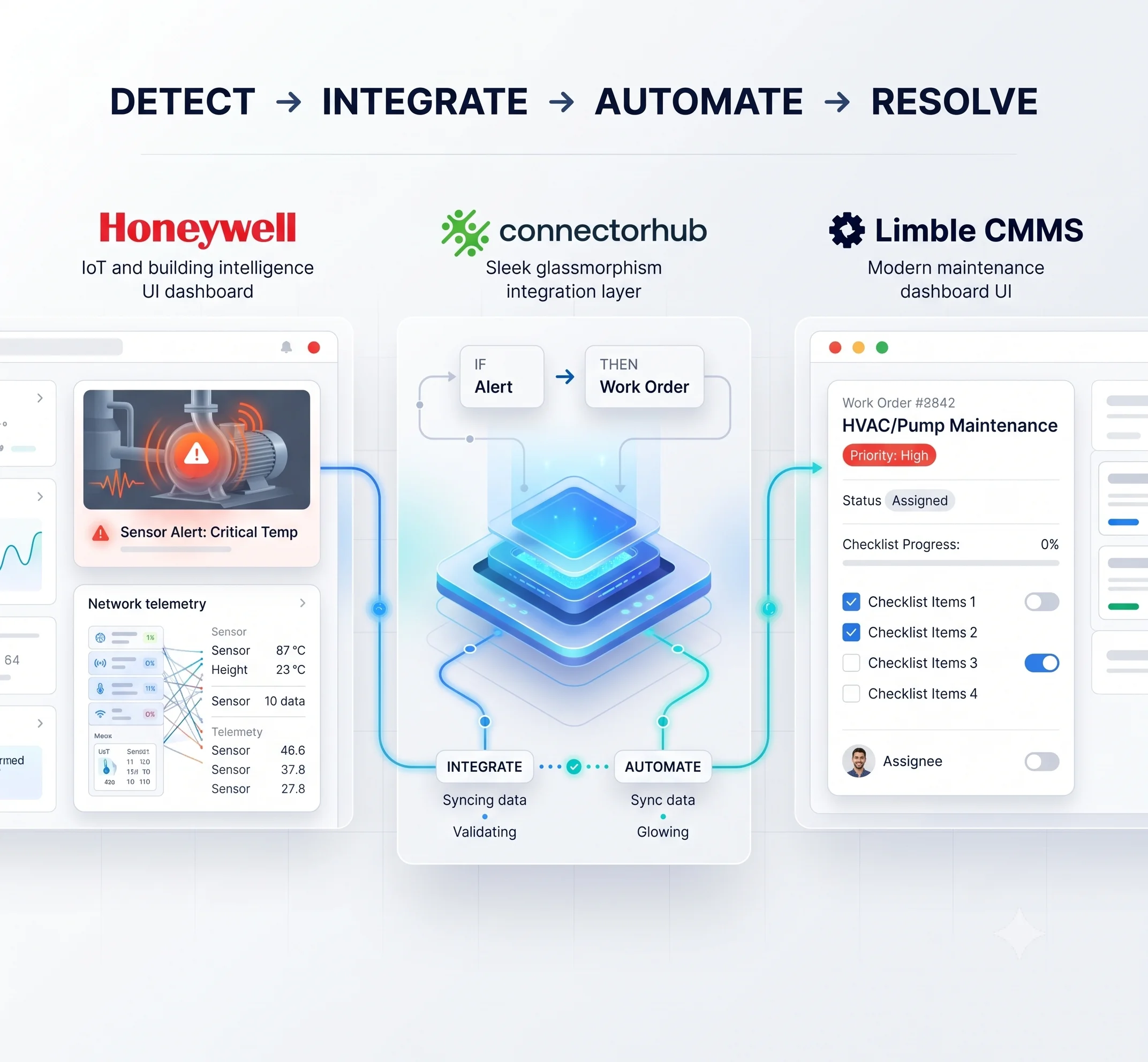
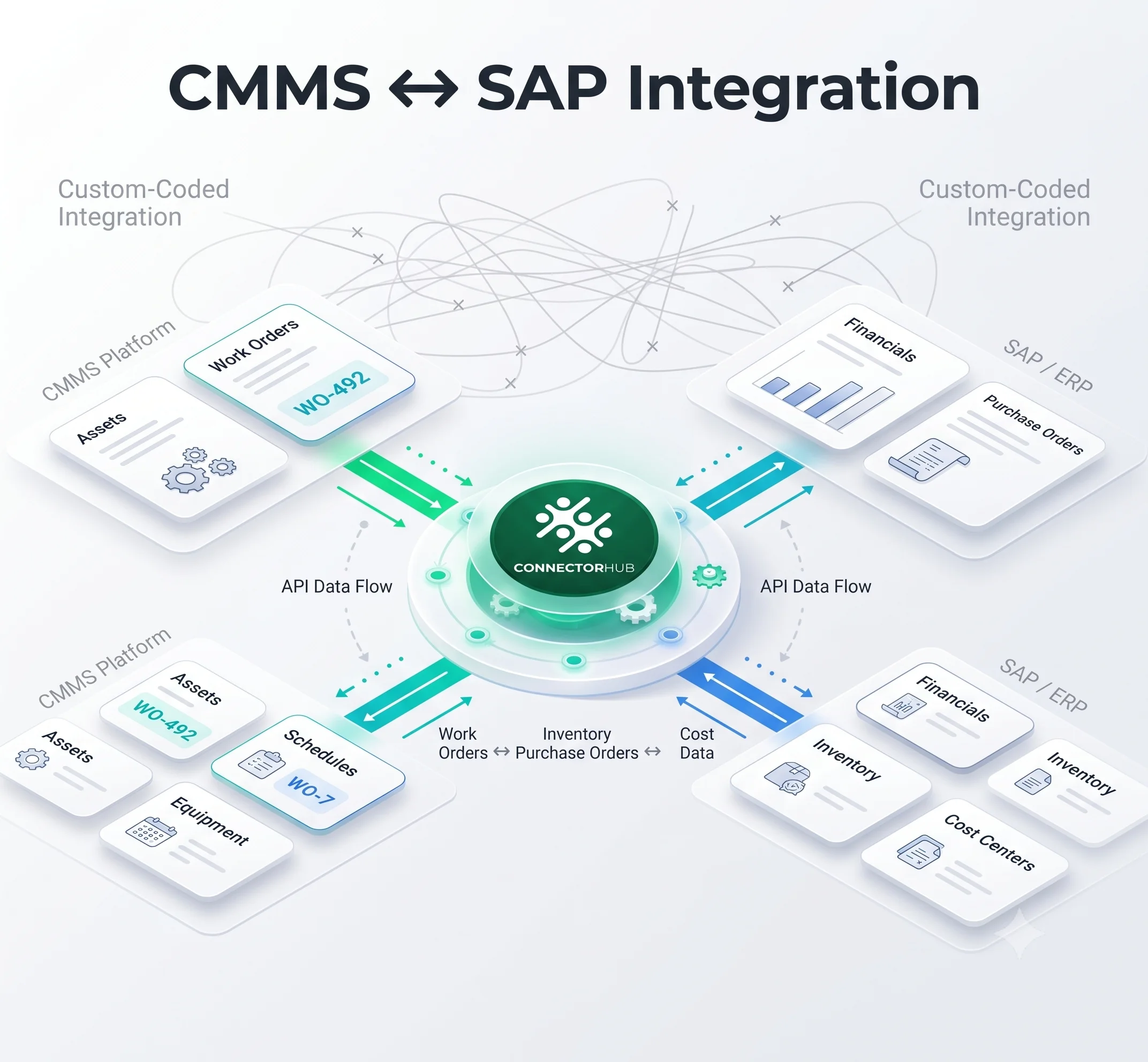
ConnectorHub was built for exactly that gap, the one Service Pros operations teams deal with every single day. On one side, it links client systems like Corrigo, Nuvolo, FMX, and ServiceChannel. On the other, it connects to whatever a provider runs internally, whether that’s QuickBooks, SAP, NetSuite, Oracle, or Salesforce.
It runs on governed, real-time workflows. With API-orchestrated connectors, a work order created in a client’s system shows up in a provider’s internal tools automatically. Completion data, invoices, and SLA updates flow back the same way, without anyone pushing them through by hand.
Because it’s a no-code enterprise integration platform, teams build out mappings and schedules through a visual builder instead of waiting weeks on developer time. At the center of it all is a live performance tracker, so operations teams get real-time SLA dashboards and alerts. AI-powered field mapping and anomaly detection catch data mismatches before they turn into a breach, and the whole thing runs under SOC 2, HIPAA, and GDPR compliance with full audit logging baked in.
Most CMMS-ERP integrations for service providers with ConnectorHub go live in a few weeks. Automating work order to sync this way typically cuts administrative workload by roughly half within the first year, mostly just by getting rid of the manual re-entry between a client’s CMMS and a provider’s own ERP.
Conclusion
When SLAs are missed in field and service operations it is because of fragmented information that gets delivered too late to alter the course of events. Connecting the CMMS, CRM, ERP, inventory, and field-service systems by means of governed, real-time workflows helps the service provider start the SLA clock at the right time, ensure everyone is working with the same current data and step in ahead of an SLA breach.
Automation changes the SLA Management process from a historical report to an active, audited business discipline, protecting revenues, reducing the administrative burden and providing customers the predictable service they were promised.