.svg)
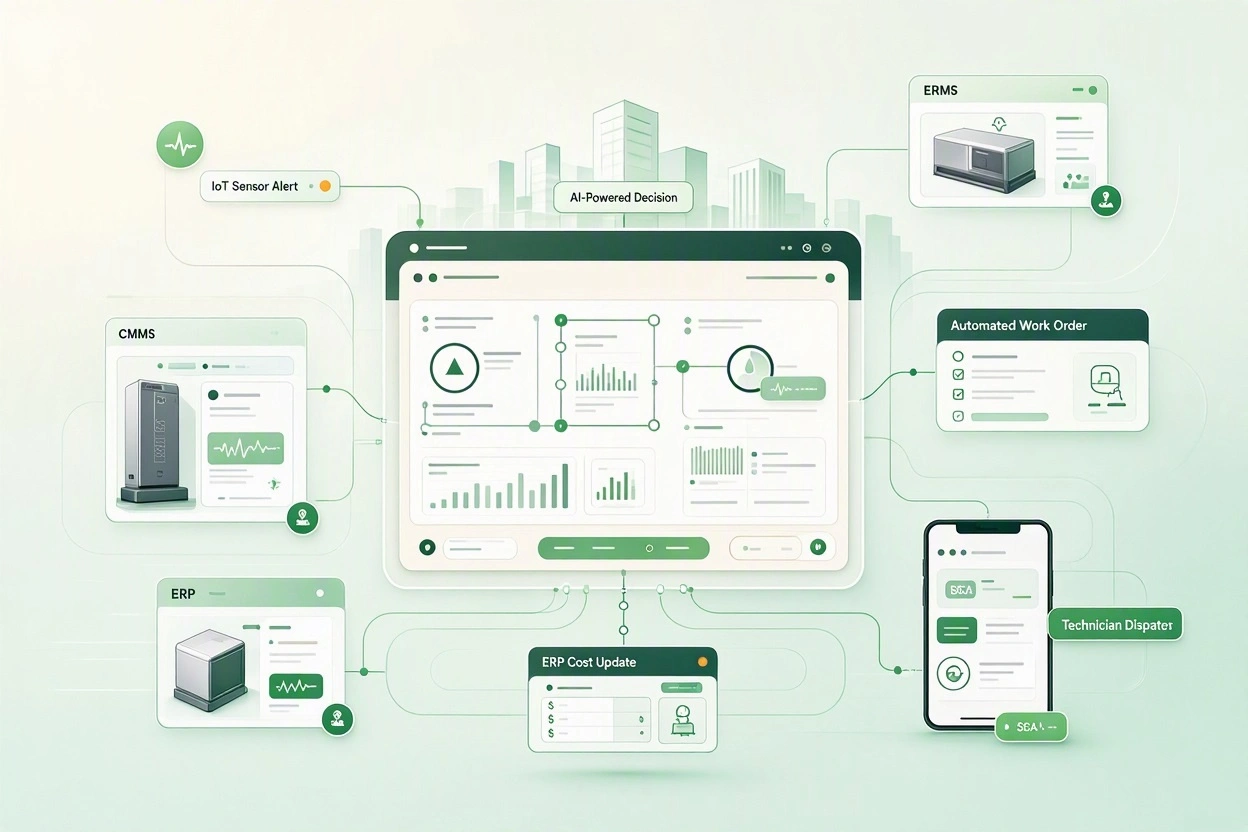
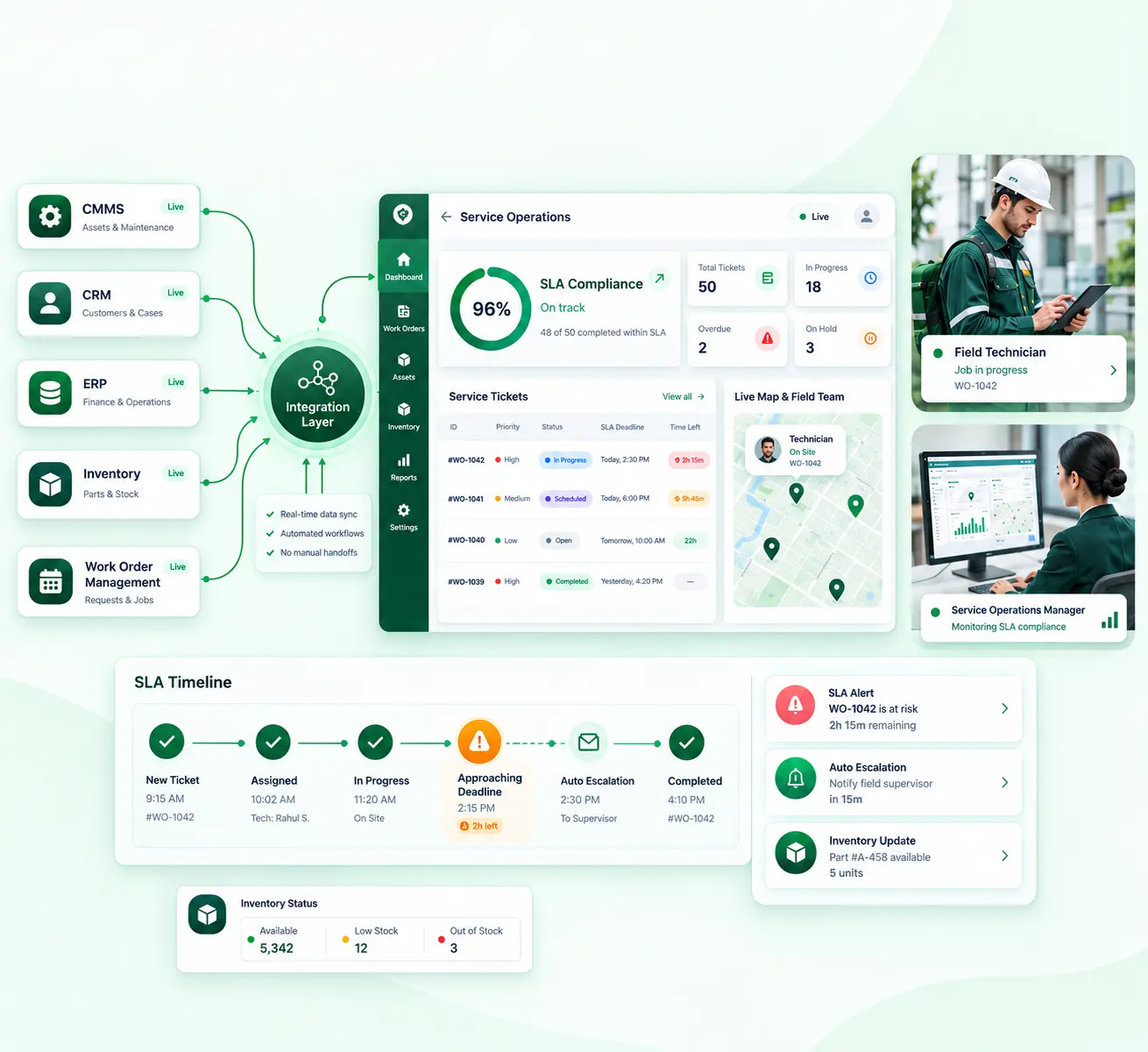
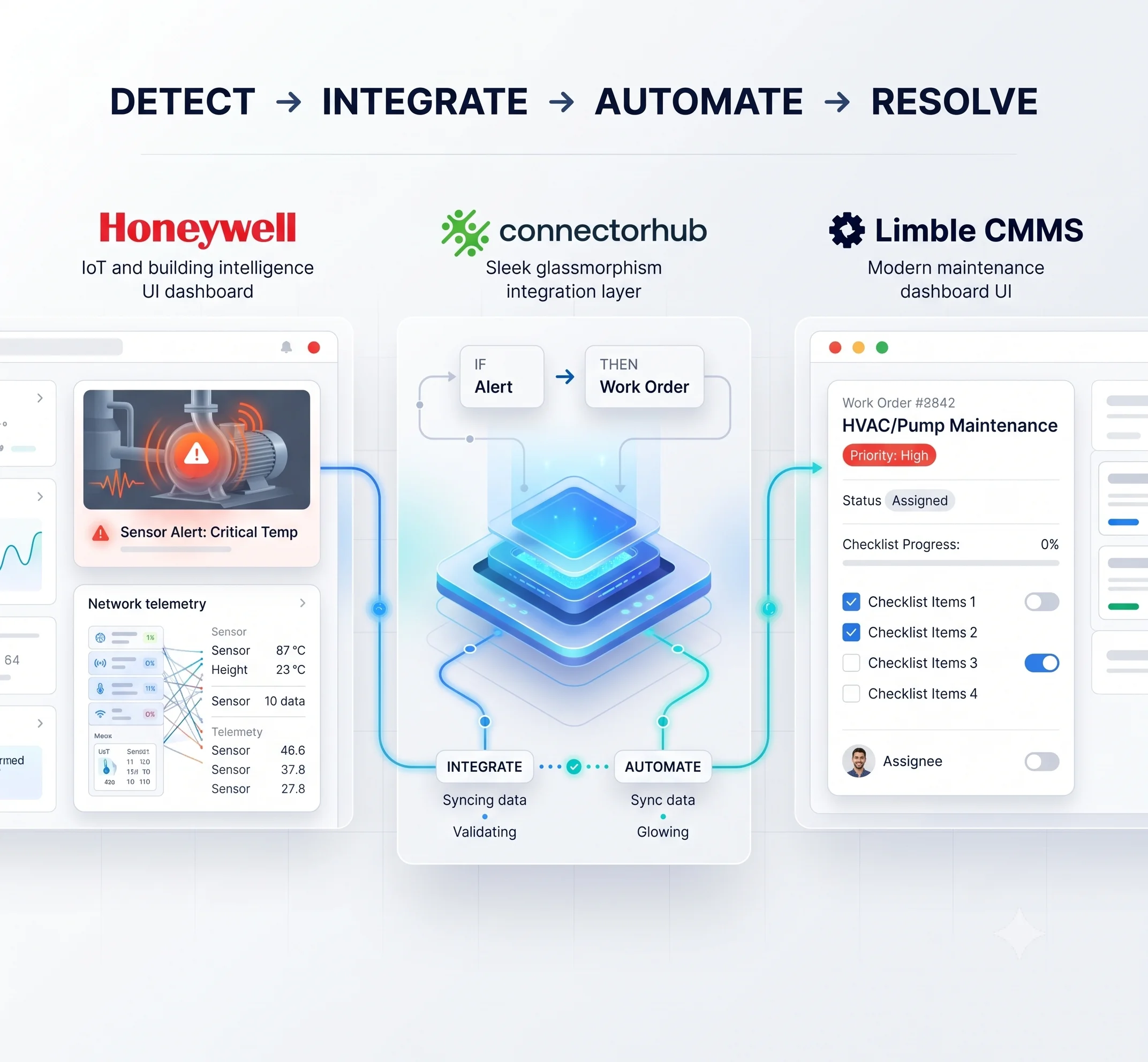
An AI-ready integration platform transforms facility management by connecting the CMMS, ERP, building systems, and field apps into one governed data flow. A sensor alert or service request then triggers the right action without rekeying.
That is workflow automation for facilities in practice. Work orders are created from signals, vendors are dispatched by context, and costs reach finance when a job closes.
For executives, facility management automation shifts teams from reacting to failures toward planning around them. It relies on dependable CMMS ERP integration, because predictive goals fail when maintenance and financial records disagree.
This article covers where the current model breaks, what makes a platform genuinely AI-ready, and what to evaluate before committing. It is written for leaders who may not be shopping for integration at all, but who feel its absence in missed SLAs and unreliable reports.
The Operational Reality Facility Leaders Face Today
A typical portfolio runs a CMMS for work orders, an ERP for purchasing and billing, and a BMS for equipment status. Add IoT sensors and technician apps, and each system holds only part of the picture. Few of them share it in real time.
The result is a reactive routine. A BMS alarm waits in its own console until someone phones it in. Dispatchers copy job details between the CMMS, vendor portals, and ERP, and every copy risks an error.
Finance feels it too. Completion status reaches billing days after the work ends, which delays invoices and hides the true cost per asset.
Predictive goals stall for the same reason. Industry research shows that predictive maintenance can reduce maintenance planning time by 20 to 50 percent and overall maintenance costs by 5 to 10 percent. Those gains assume the data feeding the models is connected and current.
A common pattern is buying sensors first, then finding that the work order history sits in different formats across two systems. A sensible first step is to pick up the handoff that causes the most rework and automate the process behind it.
Why Traditional Automation Falls Short for Modern Facility Portfolios
Most facility teams have already tried automation. The limits show up as portfolios grow.
Rule-based tools follow fixed logic. A rule that sends every HVAC alarm to the on-call technician cannot separate a nuisance alarm from early compressor failure. It also cannot know that the preferred vendor is at capacity.
Context-aware platforms weigh asset history, criticality, and contract terms before acting. That difference decides whether automation reduces noise or adds to it.
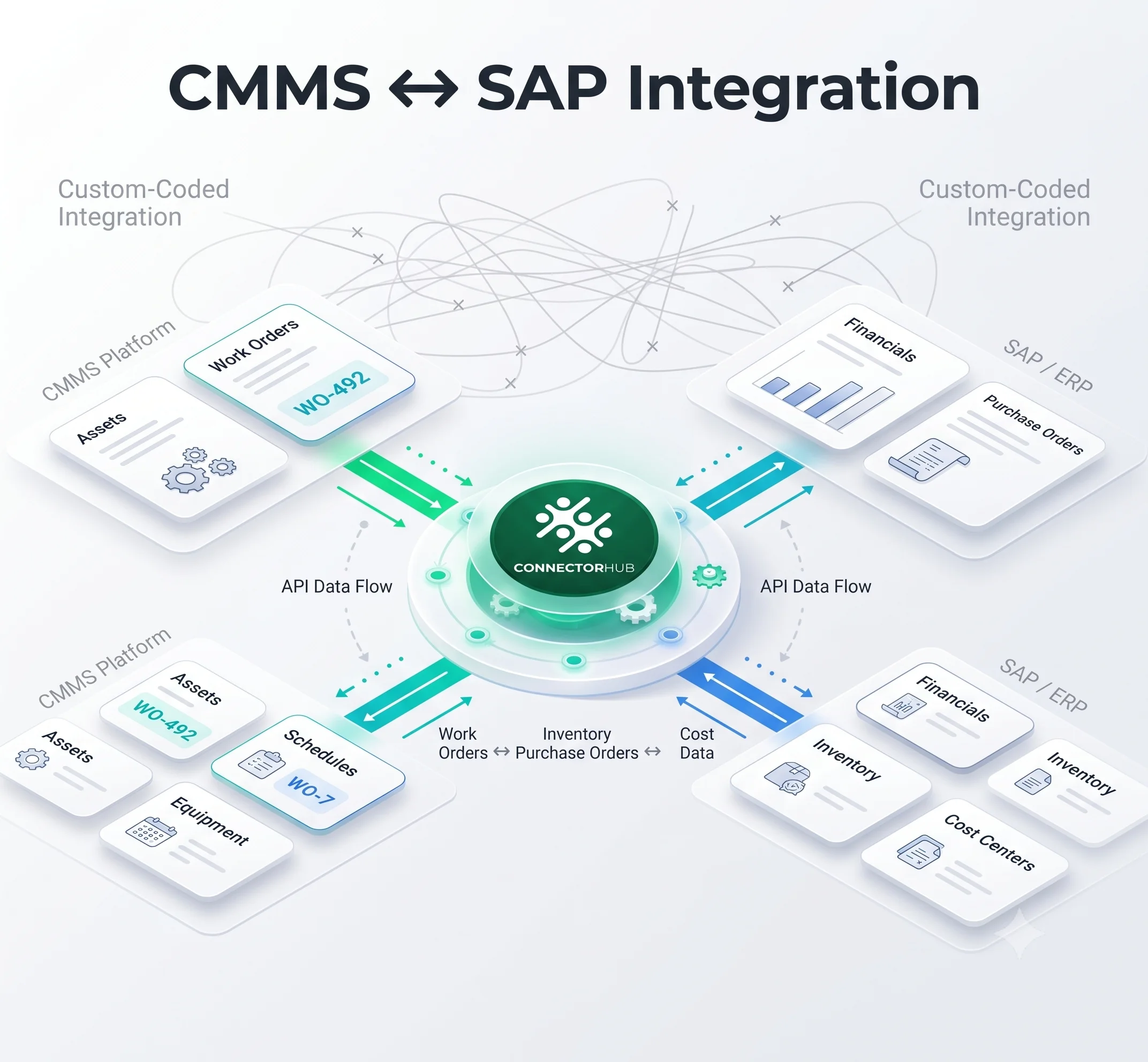
Point-to-point links create a different problem. Connections between n systems can grow toward n(n-1)/2, so six systems may mean 15 links, each with its own mapping and error handling. A custom API integration built for one pair of systems rarely absorbs an upgrade on either side.
General-purpose iPaaS solutions move data well. They seldom understand work order status models, SLA clocks, or asset hierarchies, so the facility logic gets rebuilt by hand.
Data quality is the third barrier. According to Gartner, the yearly financial impact of bad data quality averages around $12.9 million for each firm. It can manifest itself in a facility as duplicate asset records, inconsistent location structures, and variations in vendor identification between CMMS and ERP systems.
AI applied to that data amplifies the noise. Field validation, ownership rules, and audit trails need to come first.
Core Capabilities That Make a Workflow Platform Truly AI-Ready
Four capabilities separate a platform that is merely connected from one that is AI-ready:
- Real-time Orchestration: Event-driven flows run across the CMMS, ERP, BMS, IoT, and field apps. Reliable application to application integration works in both directions, so a job closed in the field updates every system in one sequence.
- Intelligent Triggers: Work orders, escalations, and SLA activities trigger from thresholds, asset criticality, and contractual obligations. Deduplication is important since a noisy sensor creating 40 work orders to address one problem is counterproductive.
- No-code Design with AI Assistance: Operations staff adjust workflows visually. Machine learning proposes mappings to the fields and highlights any anomalies like unusually high labor costs.
- Continuous Learning: Repeat failures, first-time fix rates, and vendor response times feed back into prioritization. These signals produce AI-powered operational insights, such as which assets generate repeat calls and which vendors miss response windows.
How AI-Ready Platforms Eliminate Silos & Enable Predictive Maintenance
Once data moves reliably, the maintenance model can change. Take a chiller that drifts beyond its temperature threshold. The platform checks the asset record, criticality, warranty, and open work orders. If no duplicate exists, it creates a CMMS work order with failure code, location, and priority.
It then checks parts against ERP inventory and raises a requisition if stock is short. A technician or vendor is dispatched, and status flows back to both systems. On completion, labor and parts cost post to the asset record.
This is where predictive maintenance automation becomes operational instead of aspirational. The prediction can come from an analytics tool or a BMS rule. Its value is realized only when the signal reliably becomes a tracked job.
The study of industrial maintenance suggests that predictive maintenance could cut down machine downtime by 30% to 50%, as well as increase machine life by 20% to 40%.
Dependable facility data synchronization keeps asset health, spare parts stock, and cost to date consistent across systems. Finance and maintenance stop disputing whose number is right.
Historical work orders then become a planning asset. Repeat failure patterns and mean time between failures can adjust preventive schedules and flag assets nearing replacement.
Implementation Considerations Facility Executives Should Evaluate
Start by listing each system, its owner, and how it exposes data. Modern CMMS tools usually offer APIs suited to cloud integration. Older on-premise ERP or BMS installations may only provide file exports, which shapes both design and timeline.
Clean asset and vendor master data before go-live. It is cheaper than fixing it afterward.
Not every workflow needs to be instant. The table shows how to match the pattern to the process.
Security and change control deserve equal attention. Ensure that role-based access, transport and storage encryption, as well as logs on each transaction are implemented. Test in a sandbox, and include technicians in advance, because any additional steps required by the field application prevent adoption.
Success goes beyond uptime. Track admin hours, SLA compliance, data integrity, payment cycle times, and rework orders. View all workflows as automated business process that have an owner and a baseline before launch.
Teams without in-house integrators often compare software integration services with a self-service platform. The deciding factor is usually who will adjust workflows six months after go-live.
How ConnectorHub Enables AI-Ready Workflows for Facility Management
ConnectorHub is built around the systems facility teams already run. It offers 100+ pre-built and customizable connectors, including FM-focused connectors for Corrigo, FMX, and Nuvolo, plus SAP, NetSuite, and Microsoft Dynamics 365.
A visual no-code builder and ready templates cover CMMS, ERP, and CRM flows. ConnectorHub states that most CMMS to ERP projects go live in two to four weeks.
Machine learning handles field mapping and anomaly detection, so data stays accurate as systems change. Live dashboards with SLA alerts show where timing starts to slip.
The platform also syncs IoT sensor, energy tracking, and smart building data with ERP or analytics tools. Its role is the connective layer that carries a signal into a work order, whichever system raised it.
Our workflows operate with end-to-end encryption, role-based access controls, version control and auditing on AWS that meets SOC 2, HIPAA, and GDPR standards. Platforms that are not listed can connect through custom APIs, file-based exchange, or the custom connector toolkit.
Conclusion
Facility teams aren't short on data. What they're missing is a dependable route from a signal to a finished, costed, SLA-compliant job. AI-ready workflow automation builds that route by linking CMMS, ERP, BMS, IoT, and field systems through shared rules and monitoring.
Start with the one workflow that creates the most rework, measure it against a baseline, and extend from there. Each connected workflow also builds the clean data foundation that predictive maintenance needs.