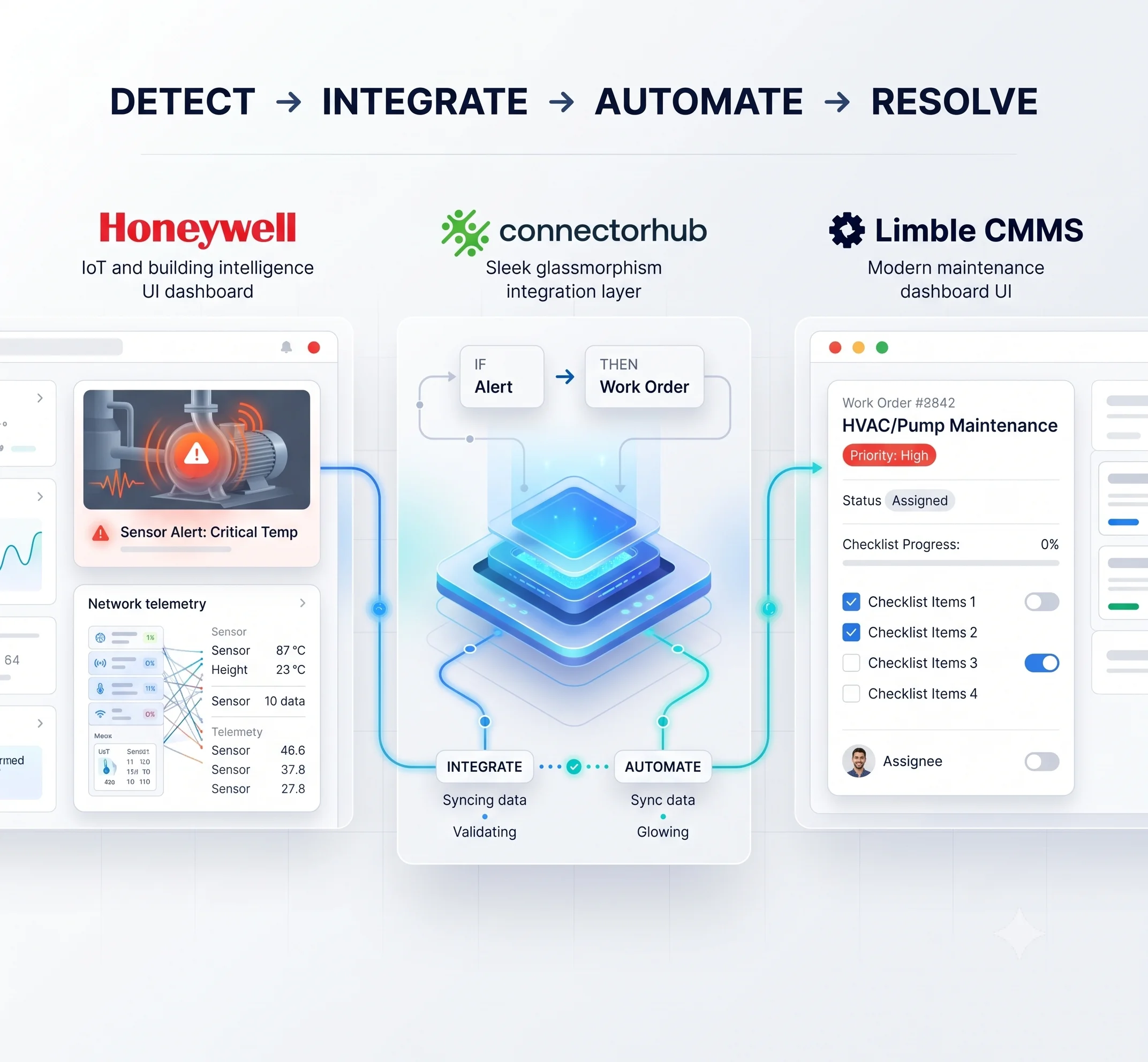
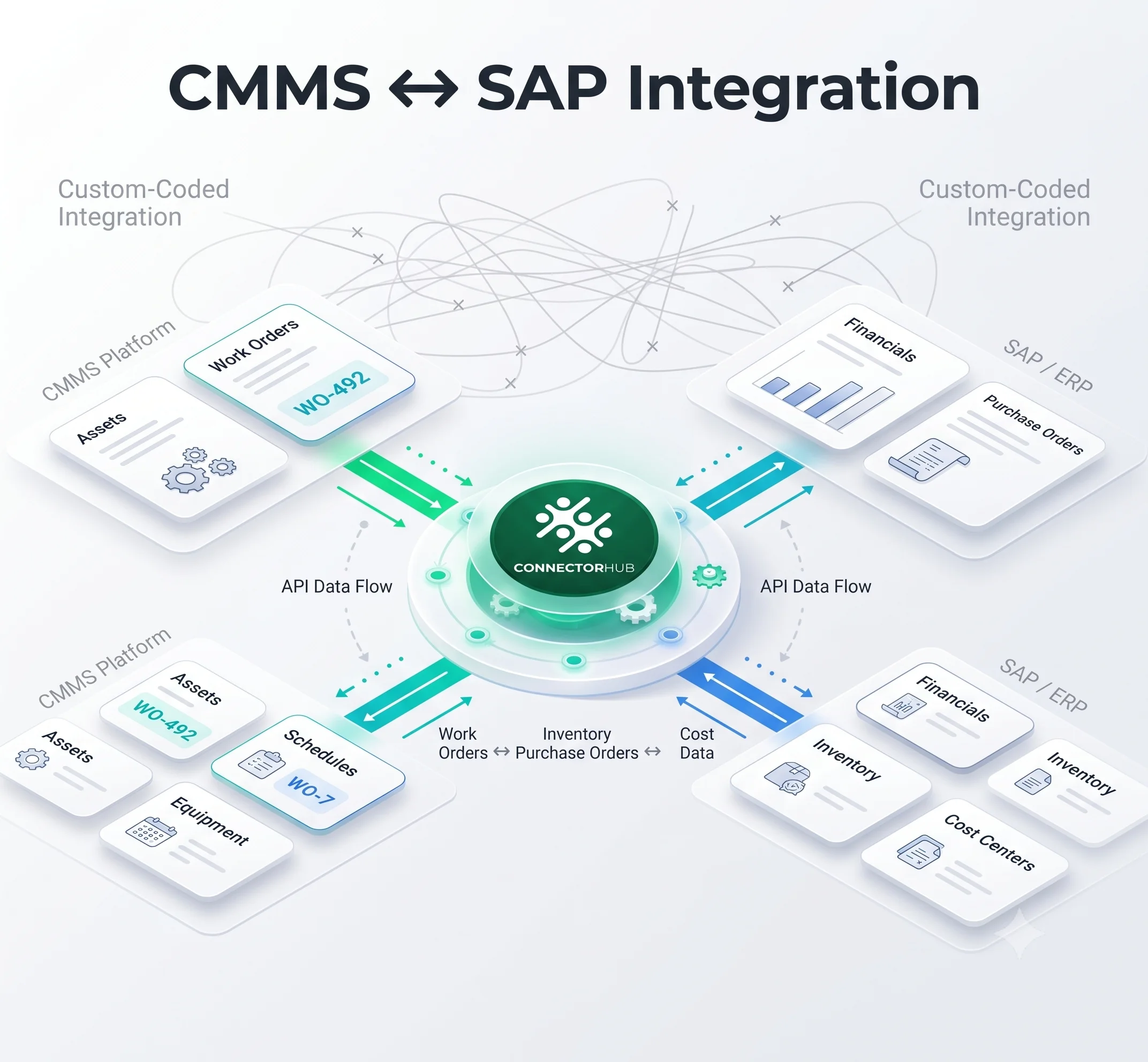
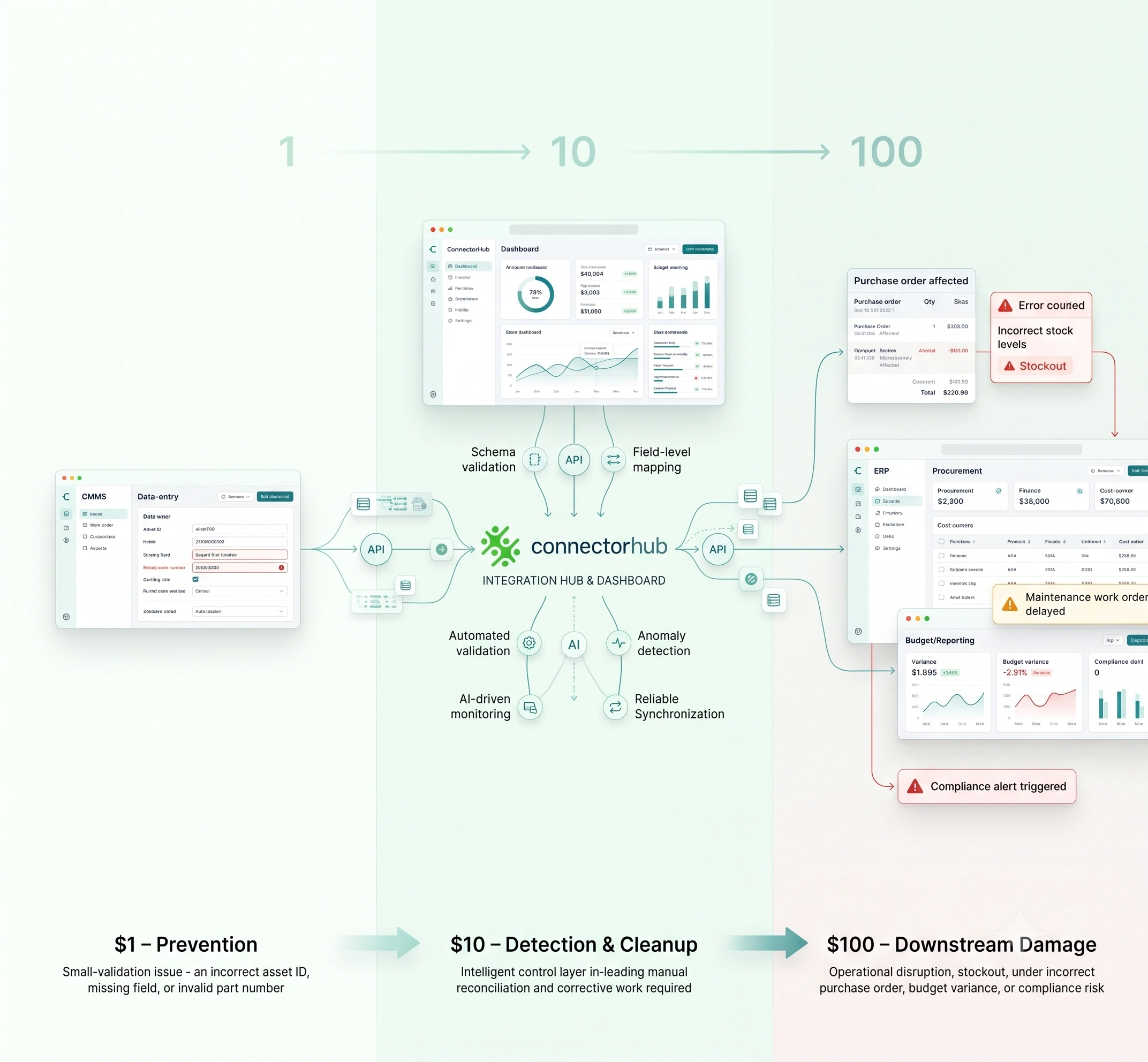
.svg)
When a safety issue is discovered in the field, the last thing an operations team needs is a debate over which system owns it.
But that’s what is possible when IBM Maximo and ServiceNow are used as stand-alone systems: A field technician might be closing a Maximo work order at the same time the related service request is left open in ServiceNow. Or a ServiceNow entry might record a safety incident without automatically creating the maintenance work order required to address the hazard.
Both teams are left chasing records and trying to figure out what's the actual "truth."
So, how do you integrate IBM Maximo with ServiceNow effectively? The answer isn't simply to connect two APIs and move data back and forth. The real goal is to create a reliable workflow between maintenance, service management, and safety operations, with each system continuing to do what it is best at.
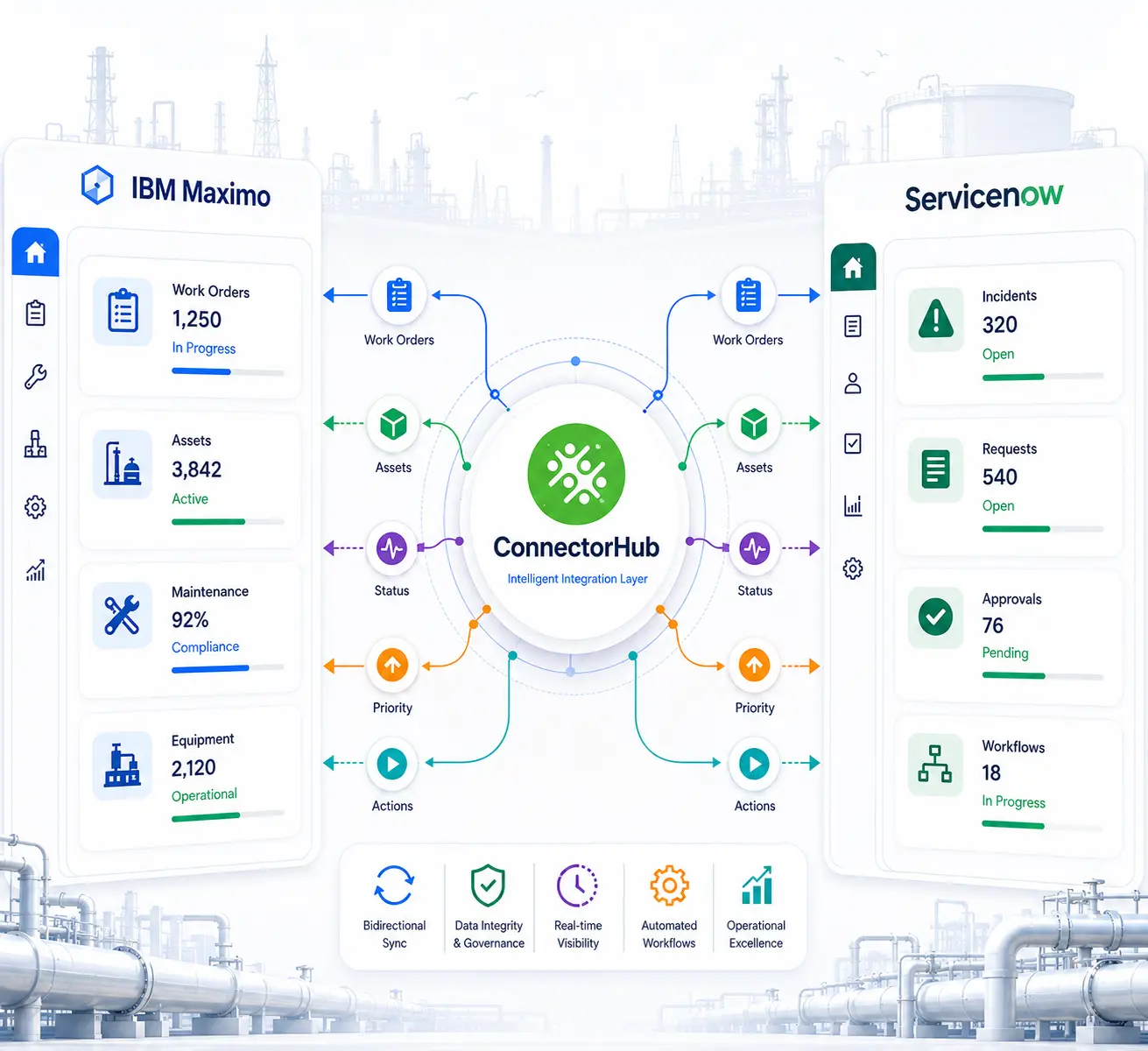
A well-structured Maximo-ServiceNow integration is synchronized for work orders, incidents, assets, priorities, statuses and actions. The ability to connect both Maximo and ServiceNow so easily is especially critical for oil and gas operators, where maintenance and safety don't typically function independently.
Each of these processes is connected to asset availability, field operations, regulations, and a facility’s critical infrastructure operation, making maintenance, safety and their interconnections vital to safe operations. So the question is not whether Maximo and ServiceNow can be connected, it's how to connect them in a manner that is stable as your assets, personnel and procedures evolve.
Maximo Manages the Work. ServiceNow Manages the Service. What Connects Them?
Most companies don't rely on just one platform, and for a very good reason. IBM Maximo earned its stripes by mastering asset hierarchies, preventive maintenance, and compliance tracking. Ultimately, it delivers exactly the reliable daily foundation that active compressor stations, gathering systems, and refinery unit demand.
ServiceNow, meanwhile, has become the default workflow and case management engine for IT, and increasingly for HSE, procurement, and field service coordination. Its routing, approval, and notification logic scales across departments that Maximo was never built to serve.
The trouble starts at the seams. A rotating equipment failure logged in Maximo might need a ServiceNow-managed change request before a control system parameter can be updated. A permit-to-work approval sitting in ServiceNow might be blocking a Maximo work order that a crew is already standing by to execute.
When these connections are made manually via spreadsheets, emails, or someone remembering to update both systems, this is time that is lost to the business. Unexpected downtime in the oil and gas sector is estimated at anywhere from $250,000 to $500,000 per hour. This may seem like an insignificant amount of time, but it is not.
API integration between the two platforms is what closes that seam. But it only works when it's built for the volume and unpredictability of real field operations, not a tidy demo environment.
The Critical Workflow Gaps That Break Reliability
Most reliability failures between Maximo and ServiceNow trace back to four recurring patterns, and they tend to compound one another.
Work-order and service-request handoffs are the most common. A field technician raises an issue through ServiceNow's service catalog, but the actual maintenance execution belongs in Maximo.
Without automated work order management connecting the two, your team must manually re-enter each request, which often strips away vital asset context, specific locations, or urgency alerts. Ultimately, that single manual step is exactly where frustrating duplicate records, confusing status mismatches, and missed service deadlines typically begin.
Exception and edge-case reality is the piece most integration projects underestimate. Rejected permits, partially completed work orders, emergency work that bypasses normal approval chains, and multi-site jobs spanning different IBM Maximo organizations all need defined handling, not silent failure. A few patterns worth designing for from day one:
- Reject-and-resubmit loops between safety approval and work execution
- Emergency work orders that skip standard permit sequencing but still need retroactive documentation
- Partial completions where equipment gets stood down mid-task for a higher-priority event
- Cross-site or cross-organization work orders where asset ownership and approval authority differ
None of this is exotic. It's the daily texture of upstream and midstream operations. Work order software integration projects that don't plan for it tend to fail quietly, generating workarounds that undo the point of automating in the first place.
Data Handoffs, Mapping Challenges, and Integration Patterns That Actually Work
The technical difficulty isn't connecting two APIs. It's reconciling two data models built for different purposes.
Mapping between these models means deciding, deliberately, how a IBM Maximo asset ID relates to a ServiceNow configuration item. It also means deciding how work order status codes translate into ServiceNow states without losing meaning, and how attachments, photos, and inspection notes move without getting orphaned along the way.
This is where a data integration platform makes more sense than writing custom scripts. Data connections must remain clear, testable, and adaptable as systems evolve, rather than hiding within code only one developer understands.
Patterns that hold up under real operational load tend to share three traits:
- Event-driven triggers rather than nightly batch jobs, since a safety incident cannot wait twelve hours for the next sync window
- Validation before data lands in the receiving system, catching a missing asset ID or invalid location code before it creates a broken record
- Bidirectional sync with clear ownership rules, so both platforms agree on which one holds the current record for status at any given moment
Field service work order integration built this way keeps technicians working from accurate, current information whether they're logged into IBM Maximo or ServiceNow.
Automation Opportunities Across the Maintenance-Safety Lifecycle
Once the data model and synchronization pattern have been defined, there are many automation possibilities, and they generally result in real-time savings versus efficiency gains.
- Maximo work orders created automatically from eligible ServiceNow incidents, with pre-filled asset and location information
- Automated permit-to-work process initiation upon Maximo work orders interacting with restricted or hazardous areas
- Pushing real-time maintenance updates back into ServiceNow so requesters and supervisors see live status without logging into a second system
- Routing safety observations and near-misses directly into the relevant asset's maintenance history for pattern analysis
- Closing the loop automatically once both systems confirm a task is complete, instead of relying on manual reconciliation
None of this is theoretical. Predictive and connected maintenance approaches have already been shown to cut unplanned downtime by a meaningful margin in refinery and offshore settings, with some operators reporting double-digit percentage reductions after tightening the link between condition monitoring and work execution.
The mechanism is straightforward: enterprise automation removes the lag between knowing something needs attention and getting a qualified crew assigned to it. Every hour cut from that time saves them from exposure, both financially and physically, in an environment where, based on CDC statistics, fatalities occur several times more often than the industry average.
Practical Considerations for Scale, Governance, and Resilience
Reliability at pilot scale and reliability across a multi-site operation are different problems for any enterprise integration platform, and Maximo-to-ServiceNow sync is no exception. A few considerations tend to separate integrations that hold up from ones that quietly degrade.
- Governance first. Decide which system owns which fields before building anything. Retrofitting ownership rules after conflicting updates start overwriting each other costs far more than defining them up front.
- Error handling as a first-class requirement. Failed syncs need visibility, retry logic, and a clear escalation path, not a silent log entry nobody checks until an audit surfaces the gap.
- Security and access control. Safety and permit data often carries regulatory weight, so role-based access and full audit trails need to travel with the data, not just live inside each source system separately.
- Monitoring built for operations, not just IT. Maintenance planners and HSE managers need visibility into sync health and SLA performance without filing a ticket to ask whether something worked.
- Cloud integration patterns that scale horizontally matter as connected sites, sensors, and work order volume grow, particularly for operators expanding digital initiatives across multiple basins or regions.
None of this replaces good process design. It supports it. An integration that's technically sound but ungoverned still produces the same duplicate records and missed handoffs it was meant to eliminate, just faster.
How ConnectorHub Addresses These Challenges as a Purpose-Built Integration Layer
This is the layer ConnectorHub is built for. Instead of using a custom-built connection between Maximo and ServiceNow which can be used only by one particular engineer, ConnectorHub provides a visual, low-code framework for mapping fields, transforming data, and monitoring sync health across CMMS, EAM, ERP, and ITSM systems, with ServiceNow already part of its native connector library.
That matters for CMMS work order automation projects specifically. The platform is designed to normalize and validate operational data across systems like Maximo, SCADA, and IoT sources before it reaches the receiving application, catching mapping errors before they turn into bad work orders.
The role-based access control system, encrypted passwords, and audit logging in ConnectorHub offer the necessary traceability that operations and HSE managers need for the compliance-oriented environment without having to do any extra reconciliations.
Live dashboards surface SLA breaches and sync failures as they happen rather than during a quarterly review. That matters most in exactly the scenarios covered above: a permit stuck in approval, a work order that never made it back to the requester, an incident report that needs to reach the right maintenance team before the next shift starts.
ConnectorHub's broader work in oil and gas environments, including SCADA-to-ERP data flows and drilling telemetry pipelines that replaced manual data exports from rig systems, reflects the same approach applied here: connect the systems that already exist, govern the data moving between them, and give operations teams visibility they don't currently have.
As an integration as a service model, it lets operators add Maximo-ServiceNow synchronization without the multi-month platform rollout a fully custom build would require.
Conclusion
Maximo and ServiceNow will keep coexisting in most oil and gas operations, and that's not a problem worth solving by forcing a consolidation onto one platform.
The issue worth addressing is the transition point between these two; the work order that stops in its tracks, the permit that prevents a crew from moving forward, or the incident that never makes it maintenance at all.
Addressing that transition point through governance, events, and mapping will turn two good solutions into one effective automated business process.
For executives considering where to spend their resources on reliability, this specific gap is one that offers an immediate payoff over other items on the list. The penalty for ignoring it occurs each week, not only during an audit or post-incident review.