.svg)
Every growing enterprise reaches the same fork in the road: wire integrations by hand or build them on a no-code integration builder. Few organizations choose deliberately — most just inherit whichever path got picked first, usually under deadline pressure, and live with the consequences for years.
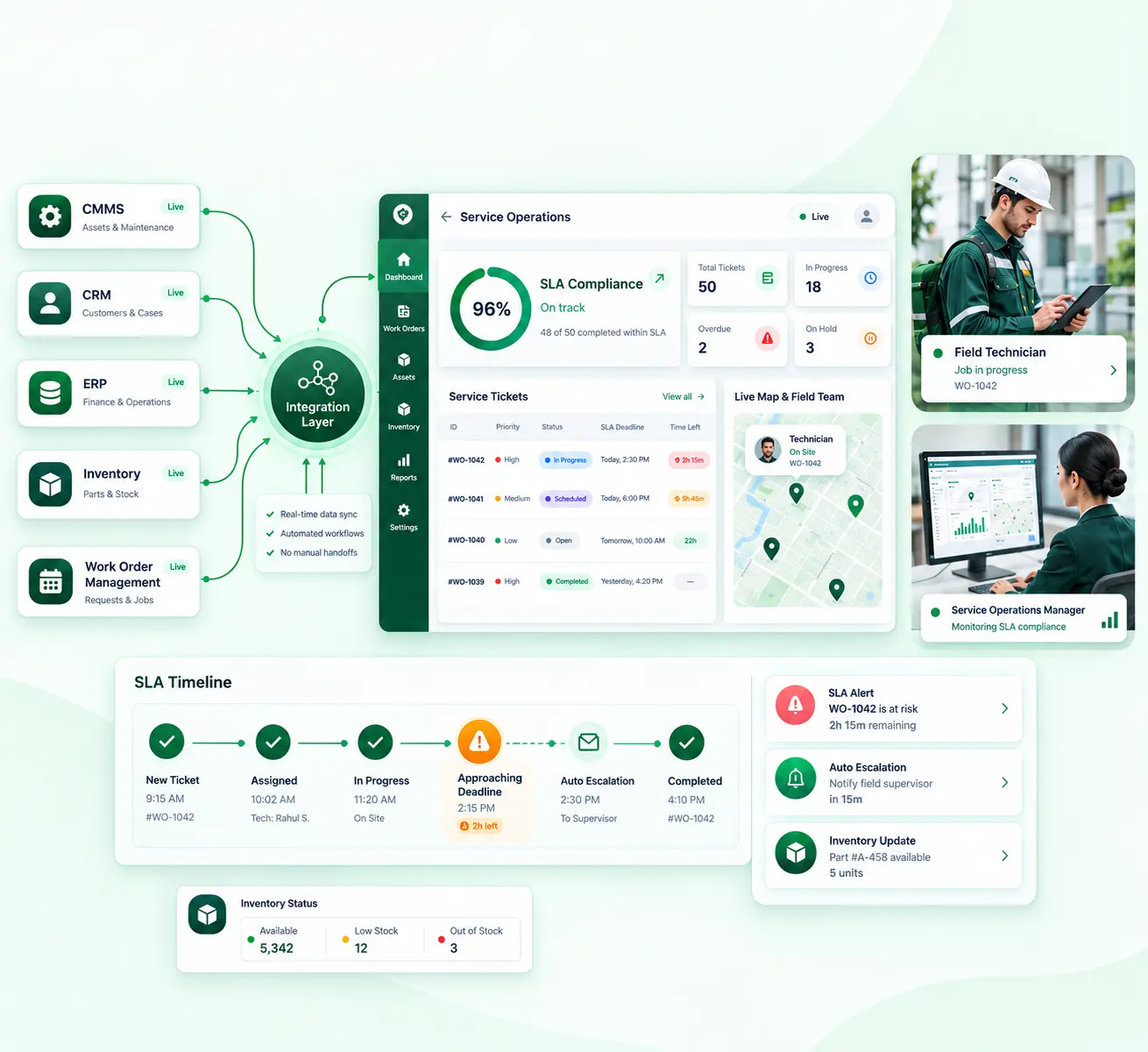
That question matters more than it used to. Enterprise software stacks have outgrown what any single team can hand-wire. A CMMS, an ERP, a CRM, and a dozen point solutions all need to talk to each other, and the gap between "integrated" and "disconnected" now shows up directly in SLA performance.
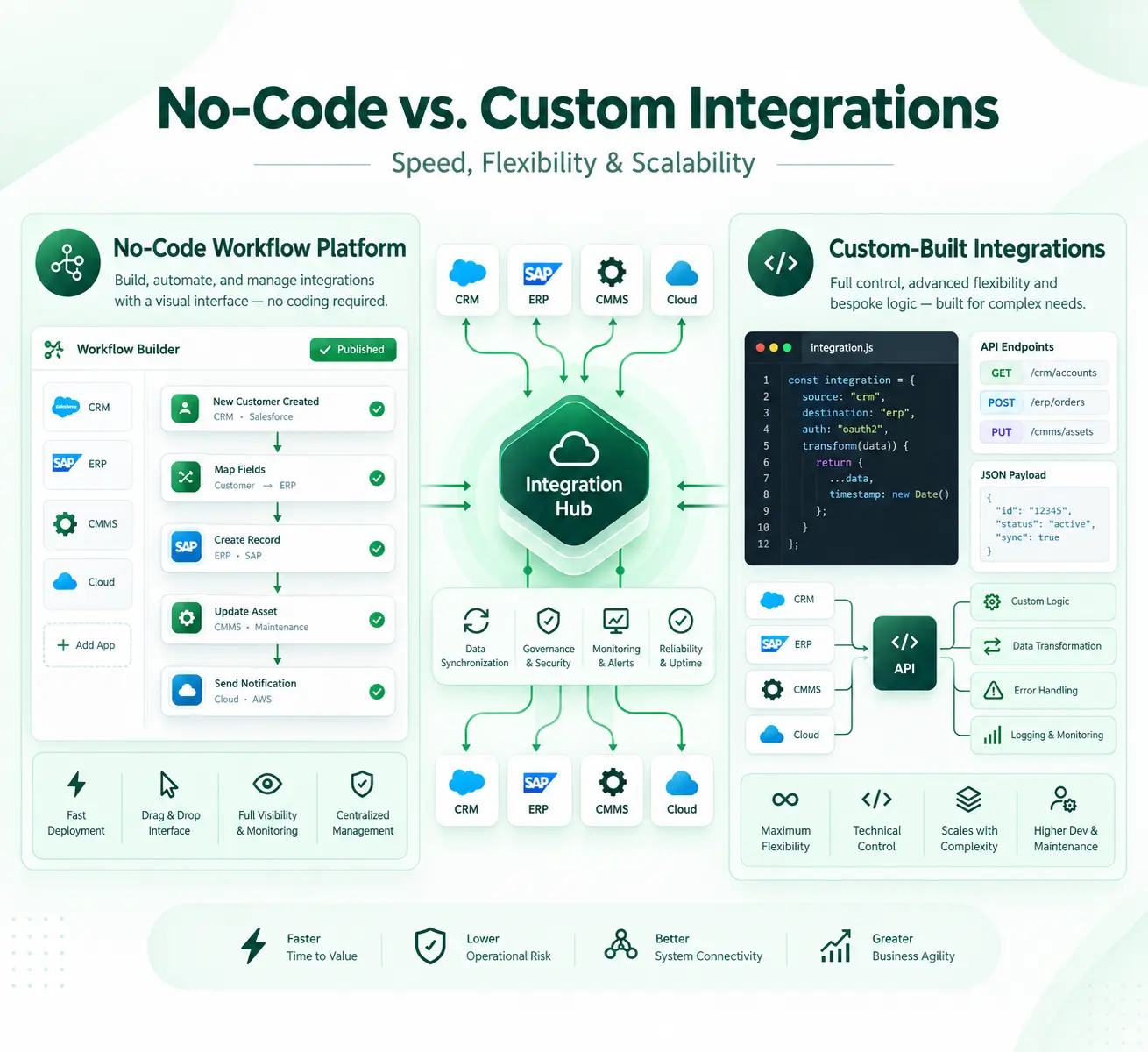
Neither a visual integration platform nor a custom-built pipeline wins outright. A drag-and-drop workflow builder backed by pre-built system connectors will out-execute custom code on time-to-value for standardized, high-volume data flows. Custom development earns its cost in a narrower set of cases: unusual business rules, proprietary protocols, performance requirements no platform anticipates.
What follows lays out the real trade-offs such as speed, cost, governance, and maintainability, so leaders can match the approach to the complexity they are managing, not the complexity they assume they have.
The Structural Trade-Offs Defining Modern Enterprise Integration
Four variables decide where a given workflow belongs: speed to deploy, total cost of ownership, governance, and how well the solution holds up as systems and teams change.
Most executives over-index on the first variable and underprice the other three. That's usually where integration regret starts.
The market context makes the stakes concrete. Gartner put iPaaS market revenue above $9 billion in 2024, up from $7.8 billion the year before, and expects it to clear $17 billion by 2028. The driver, according to Gartner, is straightforward: companies are adopting AI, no-code tools, and SaaS faster than they can manage the resulting sprawl.
In other words, integration becomes a permanent infrastructure. That's part of why operations leaders now evaluate iPaaS solutions as a category rather than hunting for single-purpose connectors, especially once one enterprise integration platform has to serve several departments at once.
Weight whichever dimension is tied to your actual operational SLA. If downstream teams need same-day data accuracy, governance and monitoring maturity matter more than raw flexibility.
Why No-Code Workflow Platforms Scale Unevenly Across Operational Complexity
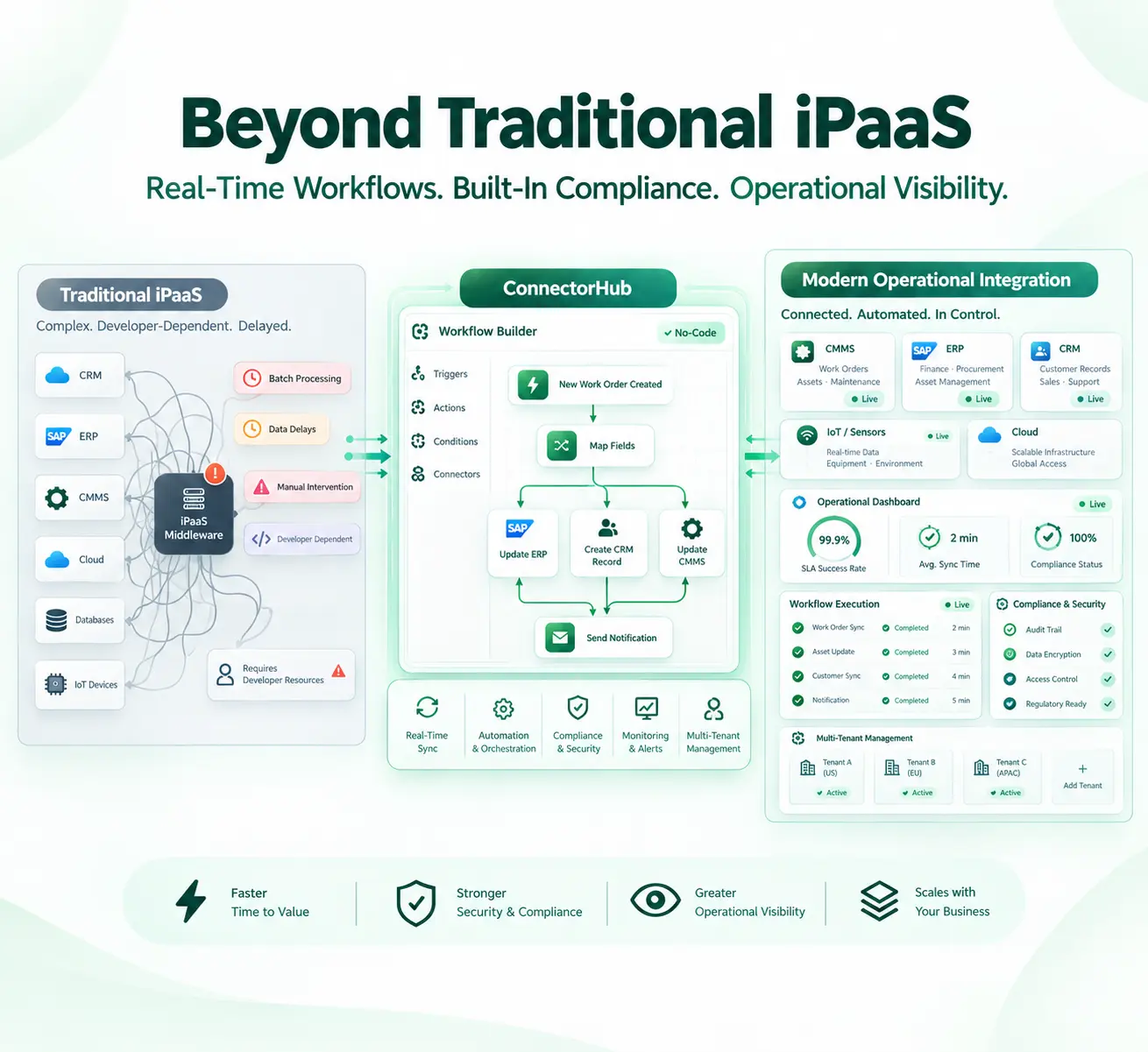
No-code platforms earn their reputation in a fairly narrow band of work: moving records between systems on a schedule or a trigger, using standard create, update, and delete operations, without much exotic transformation logic involved.
Think of a work order in a CMMS that needs to show up in an ERP for billing, or a lead captured on a form that needs to land in a CRM integration pipeline. These are the textbook cases and they are exactly where plug-and-play integrations beat custom code on every dimension that matters: speed, cost, auditability.
Where the ceiling tends to show up:
- Deeply conditional branching logic that a platform's UI can't express cleanly
- High-frequency flows where real-time data synchronization needs outpace a platform's polling or webhook limits
- Transformations that require custom algorithms or jurisdiction-specific regulatory logic
- Integrations against undocumented or legacy systems with no modern API surface
None of this argues against no-code platforms. It argues for sizing the decision correctly by the complexity of the workflow, not by how many systems are involved.
The Long-Term Ownership Burden Embedded in Custom Integrations
Custom integrations get evaluated on build cost and almost never on carrying cost. That gap is where the most expensive mistakes in this category come from.
Every hand-coded API integration becomes a permanent line item on someone's plate. It has to survive upstream API versioning, vendor schema changes, authentication deprecations and eventually, the departure of whoever originally wrote it.
The scale of that burden is well documented. Research drawn from a global survey of developers, found that roughly 42% of a typical developer's week goes toward technical debt and maintaining existing code rather than building anything new.
Integration code takes more than its share of that burden, since it sits at the boundary between systems that change on their own schedules. When teams choose speed over design, the shortcuts they take tend to compound into reliability and scalability problems that are expensive to unwind later.
Where the burden tends to show up:
- A hidden second backlog. Every integration shipped creates a maintenance obligation that competes with new development for the same engineering hours.
- Version proliferation. To satisfy different stakeholders, teams often fork one integration into several variants, each with its own bugs.
- Monitoring gaps. Custom code often skips the alerting, retries, and structured logging a managed platform includes by default.
- Opportunity cost. Hours spent maintaining integrations are hours not spent on anything that actually differentiates the business.
None of this makes custom integration a mistake. But to understand its true cost, you need to look beyond the initial build and consider what it takes to maintain it over the next three to five years.
Governance and Control as Architectural, Not Operational, Concerns
Governance tends to get treated as a policy question, who's allowed to touch what. It's really an architecture question. Access control, audit logging, and rollback either get built into the integration layer from the start, or no amount of policy written after the fact fully makes up for it.
That distinction matters for the "no-code equals shadow IT" argument CIOs raise constantly. They're not wrong to worry about citizen-built workflows touching production systems with no oversight.
The model that keeps showing up is a center-of-excellence or "fusion team" — professional and citizen developers working inside one governed data integration platform, rather than business teams quietly finding their own disconnected tools. Done well, it turns what would otherwise become shadow IT into something accountable and auditable.
What a governance architecture that actually holds up includes:
- Role-based access control with clean separation between tenants, environments, and configurations
- Immutable versioning, with rollback that doesn't disrupt runs already in flight
- An integration monitoring dashboard showing run status and failure points in real time
- Structured workflow exception management: routing, retries, and alerting for failed records, instead of silent drops
- Compliance-grade audit logging that satisfies SOC 2, HIPAA, or GDPR by default
Treat governance as something to retrofit later, and it usually becomes the biggest source of integration risk, more than the no-code-versus-custom choice itself.
Technical Debt, Knowledge Concentration, and Organizational Resilience
Here's a risk that rarely shows up in a build-versus-buy spreadsheet: what happens when the person who built a custom integration leaves?
Integration code tends to live in one or two people's heads, because it requires context about two systems at once, not just one. When that person moves on, the integration doesn't break immediately — it just stops being safely changeable. That's arguably worse, since problems accumulate quietly until something finally breaks in production.
It's a resilience question as much as a technical one. Leaning on custom, undocumented integrations to automate the process of moving data between core systems is really a bet on employee retention and institutional memory. And that bet only gets riskier as more operational logic ends up living in code only a handful of people can actually read.
Platforms reduce this risk structurally, not just through better documentation habits. A visual workflow is largely self-documenting, version history shows exactly what changed and when, and handing a platform-based integration to a new team member takes days rather than the weeks it usually takes to safely transfer custom code.
The Rise of Hybrid Integration Patterns in Mature Architectures
The build-versus-buy framing undersells how integration architectures actually mature. Organizations rarely end up fully on one side. Instead, they converge on a hybrid model — a scalable integration framework that handles the standard, high-volume work through a visual platform, while custom development gets reserved for the smaller slice that's genuinely different.
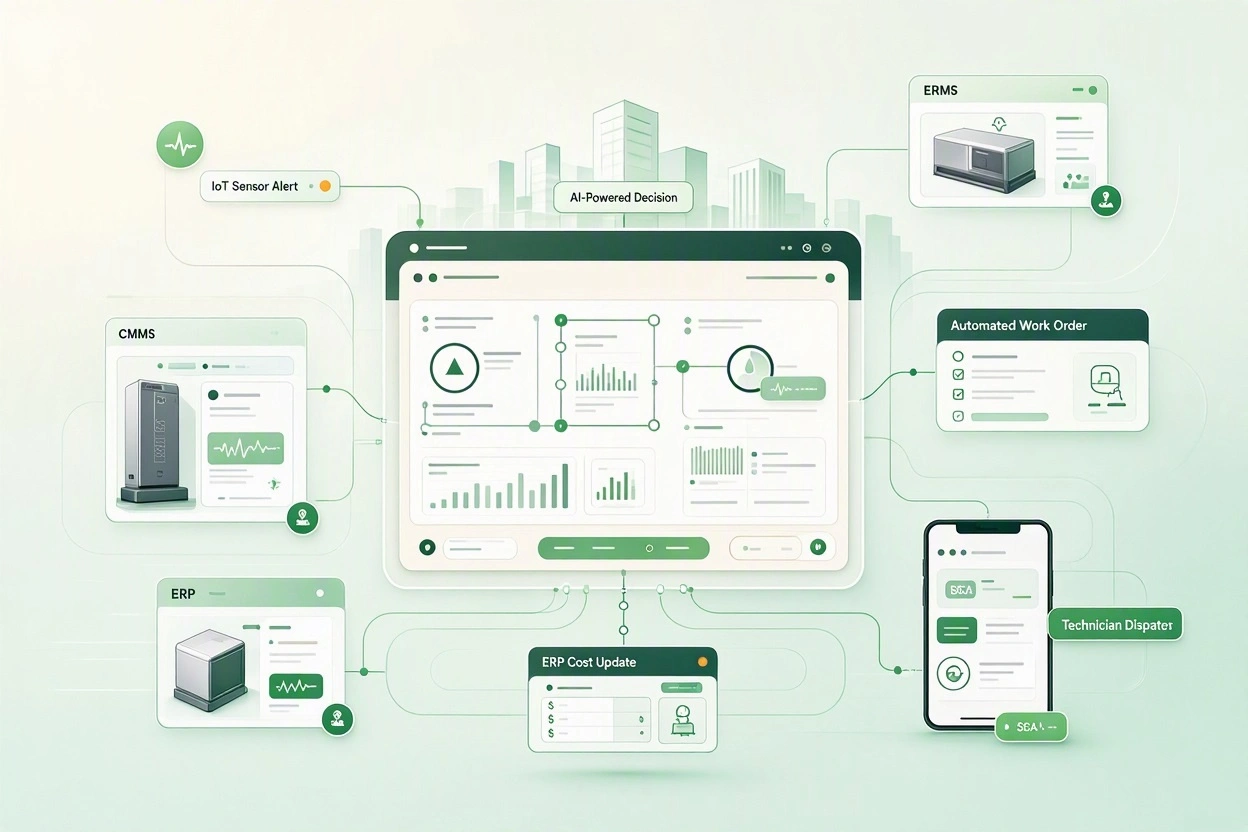
As cloud integration needs multiply across CMMS, ERP, CRM, IoT, and finance systems, neither pure approach scales on its own. No-code hits a ceiling on edge-case logic. Custom development hits a ceiling on engineering capacity. A hybrid model resolves both at once: the platform absorbs the repetitive work, and an extensibility layer involving a connector SDK, and a custom transform step picks up the exceptions.
A few signs a hybrid model would outperform either pure approach:
- Integration requests are arriving faster than engineering can custom-build them
- Most requests are structurally similar, but a meaningful minority need genuinely custom logic
- Operations and IT need to co-own workflows, rather than IT acting as the sole gatekeeper
- Every integration needs the same baseline audit trail, no matter who built it
Fusion teams with developers and operationally fluent business users working inside the same governed platform are how this gets done without recreating the shadow IT problem governance was supposed to solve.
How ConnectorHub Reframes the No-Code Versus Custom Integration for Operational Systems
This is the gap ConnectorHub is built to close. For facility management, PropTech, healthcare, and service-provider organizations, work orders, assets, and billing data all have to move reliably between a CMMS, ERP, and CRM.
Rather than forcing a binary choice, ConnectorHub's application integration solutions pair a visual, drag-and-drop canvas with the kind of governance usually reserved for custom-built, IT-owned systems:
- Side-by-side field mapping with schema validation
- Immutable versioning with instant rollback
- Multi-tenant role-based access control
- A live operations dashboard showing run status and errors as they happen
The platform also ships with a connector SDK. So, when a workflow needs logic beyond what a pre-built template covers, teams can extend it without abandoning the governed platform for a parallel custom build.
That shows most clearly in deployment timelines. Most ERP, CRM, and CMMS integrations go live in two to four weeks, depending on system access and data complexity — a fraction of the multi-month timelines typical of custom development built from scratch.
For executives, the real question isn't whether ConnectorHub replaces custom development entirely. For genuinely novel logic, it won't, and it shouldn't try to. The question is whether the workflows eating the most engineering time today are differentiated enough to justify custom ownership or standard enough that a governed platform should be handling them instead.
Conclusion
The no-code-versus-custom debate really comes down to one question: where does differentiation actually live in your technology stack?
Standardized, high-volume data movement — the work order that needs to reach the ERP, the lead that needs to land in the CRM — rarely benefits from custom code. It benefits from speed, governance, and auditability, and a mature platform delivers all three by default. Custom development earns its cost only where the business logic is genuinely unique, and even then, it tends to work best as an extension layered onto a governed platform rather than a parallel system built from scratch.
The organizations getting the most out of their integration spend aren't the ones who picked a side early and stuck with it. They are the ones who built a decision framework around complexity, SLA requirements, and governance needs and keep revisiting it as their system landscape grows.
A good place to start: inventory the integrations consuming the most engineering time right now and sort them by how much of that time goes to genuinely differentiated logic versus routine data movement. That split is usually the clearest signal for where to draw the line.