.svg)
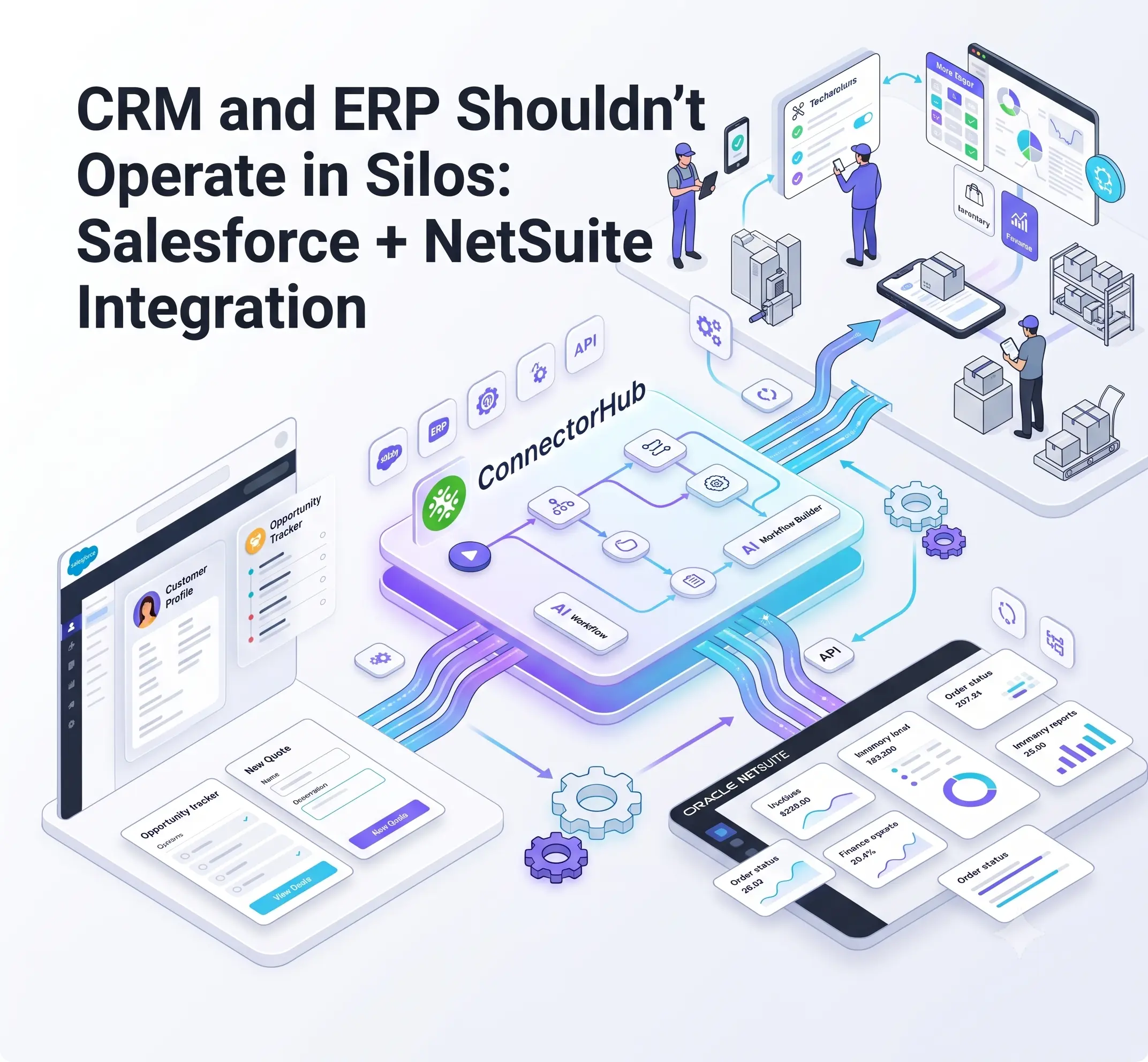
For a service organization running dispatch, work orders, and invoicing across multiple systems, a customer record that lives only in Salesforce is only half a record. The financial truth, inventory position, and invoice status all sit in NetSuite. When these two platforms don't share data, sales quotes against stale numbers, finance closes the books late, and technicians show up without the context they need.
That’s the question that is continuously being asked by services leaders: how to connect ERP and CRM systems to get automatic updates on our customers, orders, and financial information?
Rather than manually doing this through a spreadsheet, the answer to that is a no-code platform for service operations that will sync the two systems in real time.
Salesforce holds its position as the world's most widely used CRM, and NetSuite serves more than 40,000 customers across 219 countries. At SuiteWorld 2024, Oracle NetSuite pointed to automatic data sharing between the two platforms as a direct lever for shortening order-to-cash cycles and giving sales and finance a fuller picture, a meaningful admission from the platform vendors themselves about the cost of leaving these systems disconnected.
This piece looks at why the Salesforce-NetSuite gap exists, what a modern field service integration platform requires, and how service providers running HVAC, facilities, and multi-site operations treat HVAC workflow automation and CRM-ERP integration as the same problem.
The Reality of CRM–ERP Silos (Why the Problem Exists and Persists)
Salesforce and NetSuite are built for different jobs, and that's by design. Salesforce manages relationships and pipeline. NetSuite manages financial truth, inventory, and back-office execution. Neither is trying to be the other, which is exactly why the handoff between them becomes the weak point.
Watch where that handoff actually breaks:
- An opportunity or quote in Salesforce doesn't automatically become a sales order or updated customer record in NetSuite.
- A closed-won deal doesn't trigger inventory reservation, fulfillment, or invoicing on its own.
- Customer updates and support history logged in Salesforce never reach finance.
- Revenue recognition and collections lag behind what sales already closed weeks earlier.
Why Spreadsheets & Point-to-Point Fixes Fall Short?
Most fragile systems aren't built on purpose. A custom script here, a scheduled export there, a shared spreadsheet someone updates every Friday. Each fix solves a narrow problem, but the pile of fixes becomes its own liability.
Custom scripts and middleware sprawl break quietly. Native connectors help with standard fields but struggle with the custom objects service businesses actually rely on, like work orders, SLAs, and subcontractor billing. Most CRM integration attempts stall here, not because the technology is unavailable but because ownership and field mapping were never resolved.
When systems don't talk, people become the connection. This is the swivel-chair problem: staff switching between screens to move information that should move on its own. ERP integration for service teams matters specifically here, since service businesses generate an unusually high volume of these handoffs. Every work order and completed job is a data event that needs to land correctly in both systems.
None of this makes integration automatic. Projects still fail when scope is unclear or nobody owns change management after go-live. The friction is solvable, but it takes a deliberate approach.
The Tangible Business Cost of Disconnected Systems
The silo problem doesn't stay technical for long. It shows up in numbers finance and operations leaders already track.
Operational friction increases in the first place, because order-to-cash cycles stretch out, up-sell opportunities go unnoticed, and month-end accounting is a tedious process of reconciliation. The financial consequences soon follow, as revenue recognition slows down, and days sales outstanding increase. Visibility suffers too, since leadership works from fragmented reports that tell different stories depending on which system produced them. People absorb the rest, spending hours on entry instead of the work they were hired for.
Organizations that integrate the two platforms report reducing their order-to-cash cycle by roughly 30 percent, and one industry analysis found integrated systems resolve customer issues about 34 percent faster than teams working across disconnected tools.
What Happens When Salesforce and NetSuite Actually Talk?
Once the platforms are properly connected, the benefits show up in parts of the process service leaders already measure:
- A single source of truth replaces duplicate entry across sales and finance.
- Order-to-cash and revenue recognition accelerate because the handoff from closed deal to invoice happens automatically.
- Sales gets near real-time visibility into inventory, pricing, and a customer's financial standing before making a promise it can't keep.
- Handoffs from quote to order to fulfillment to invoice to payment become clean instead of manual.
- Compliance and audit risk drops because mismatched records stop accumulating.
For service organizations managing heavy payrolls, subcontractor costs, and parts inventory, this speed is far more vital than it is for typical software companies. True real-time service reporting only happens when both systems sync continuously, because a dashboard relying on stale or partial data stops reporting the truth and simply guesses with nicer formatting.
A few decisions determine whether this actually holds up over time.
- Bidirectional sync over one-way feeds. A one-way feed leaves one system behind the other. Bidirectional sync keeps both current, which matters when job status can change several times in a single day.
- Real-time versus batch orchestration. Order-to-cash steps generally need near real-time updates. Data that isn't as time sensitive can run on a batch schedule without slowing anything down.
- Clear ownership of master data. Someone needs to decide which system owns the customer master, pricing, or inventory count. Otherwise, the two platforms end up quietly overwriting each other.
A well-built data integration platform earns its place here.
Practical CRM-ERP Integration Approaches
When teams start considering NetSuite and Salesforce integration, they normally narrow down their choices to the same three possible solutions. Every single one requires a sacrifice from the user, be it speed, control, or maintainability.
- Native or point-to-point connectors get you moving fastest and handle standard flows without much fuss. Where they fall short is anything involving custom objects or fields shaped around how service work actually gets delivered.
- Custom API and middleware development hands a team full control, at a price. That price is ongoing upkeep, since a platform update on either side can quietly break something that was built in-house.
- Modern iPaas solutions and no-code platforms land somewhere in the middle, and for most teams, that middle ground turns out to be the more sensible long-term bet. Visual mapping, connectors that already exist, and error handling built into the platform mean a workflow can change without pulling an engineer off whatever else they're working on.
- Choosing a path is only half the job. A few decisions underneath it determine whether the
How ConnectorHub Makes Salesforce + NetSuite Integration Practical for Ops Teams?
Most integration platforms are designed for IT teams who manage enterprise-wide applications, ConnectorHub caters to a more specific group of companies that use Corrigo, ServiceChannel, NetSuite, and Salesforce; where work order management, SLAs, and job costing is not an afterthought but everyday work.
A visual workflow builder lets operations teams build and adjust integrations themselves, without waiting on a development queue. AI-assisted mapping speeds up setup for custom objects like job tickets and cost codes. For service organizations already running Salesforce and NetSuite, that typically means:
- Vendor management automation through standardized templates, so onboarding a new client or subcontractor becomes a configuration task instead of a manual setup project.
- Service ticket automation that carries work orders from creation through invoicing without anyone re-entering the same job twice.
- Scheduling and dispatch automation that keeps technician assignments aligned with real-time job status instead of yesterday's spreadsheet.
- Deployment in roughly two to four weeks, well short of the months a custom build typically takes.
This kind of enterprise automation isn't meant to replace the judgment of sales and finance teams. It clears away the repetitive work between them, so that judgment goes where it counts most. Teams already running Salesforce and NetSuite can close the most painful gaps within weeks, not months.
Getting Started
A working integration doesn't need solving all at once. A phased approach holds up better than trying to do everything at the same time.
- Audit current handoff points and attach a real number to the time and error cost of manual entry today.
- Start with one or two high-value flows. Order creation and customer sync are usually the best picks. Both touch revenue and customer experience directly.
- Settle the system-of-record rules early. Figure out what "working" actually means before a single thing gets built, whether that's sync success rate, latency, or how fast the order-to-cash cycle moves.
- Pick an approach your team can actually support. No-code tools tend to be more forgiving. That matters when speed and long-term upkeep both count.
- Pilot one flow. Measure it. Then expand. Trying to connect everything at once is usually how these projects stall.
- Keep an eye on it after launch. Systems get upgraded. Clients change. Workflows shift. An integration nobody checks on drifts out of date quietly.
Treating this as an automated business process right from the very beginning, and not as a temporary project, makes this integration viable for years to come, unlike those old-fashioned spreadsheet programs that have long since become obsolete.
Conclusion
Keeping Salesforce and NetSuite in silos is an expensive choice, measured in lost time, inaccurate data, slower cash, and decisions made on incomplete information. The technology to connect them cleanly already exists. What's usually missing is process clarity and the right integration layer to carry it.
For service organizations, that gap tends to show up fastest in the work order to invoice cycle, since that's where the highest volume of daily transactions live. Closing it doesn't require ripping out existing systems. It requires connecting them properly.
See how ConnectorHub can close the Salesforce-NetSuite gap for your team, or explore related reading on data silos, the true cost of manual entry, and how CMMS and ERP integration compares across service industries.